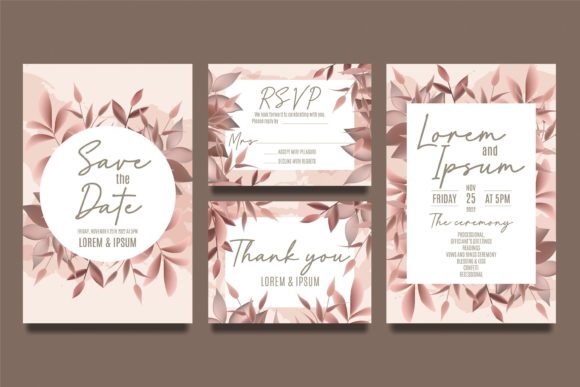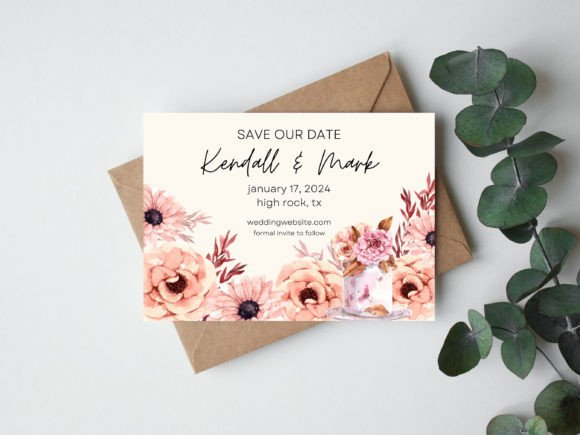
Elegant Wedding Save the Date Editable Template
Imagine crafting a stunning first impression for your wedding that perfectly reflects your unique style, without starting from a blank canvas. A professionally designed Wedding Save the Date Editable Template in Canva offers precisely this blend of creative control and design efficiency, serving as a foundational asset for your wedding's visual identity.
The Role of a Template in Modern Visual Communication
In graphic design, a template is not a limitation but a strategic starting point. It establishes a strong visual hierarchy, ensures typographic consistency, and provides a cohesive color palette from the outset. For a wedding, this means your save the date becomes the first touchpoint of a unified brand identity for your event, setting the tone for invitations, websites, and day-of materials. This approach mirrors professional design workflows, where foundational elements are established early to maintain quality and cohesion across all creative projects.
This particular digital asset is designed for immediate use. Upon purchase, you receive a downloadable .zip file containing a PDF with a direct link to your editable Canva template. After logging into your free Canva account, you can customize every element—text, fonts, colors, and imagery—to align with your personal aesthetic. The final design can then be downloaded as a high-quality PDF, ready for professional printing or digital distribution.
Practical Applications Beyond the Invitation
The principles and assets used in a wedding template have broad applications across various design disciplines. The skills and visual language you develop are transferable to numerous creative and professional contexts.
- Brand Identity Systems: The process of selecting a color palette and typography for your wedding is a miniature exercise in brand identity development.
- Social Media Graphics: The same visual style can be adapted to create cohesive announcements, countdowns, and thank-you posts for platforms like Instagram or Pinterest.
- Web and UI Design: The layout principles of visual hierarchy and readability are directly applicable to designing a wedding website or digital RSVP portal.
- Editorial and Print Design: The template's composition informs the design of matching programs, menus, and signage, ensuring a seamless guest experience.
- Digital Presentations: A well-designed slide deck for wedding planning or a slideshow for the event itself benefits from the same attention to typography and clean layout.
Tips for Effective Customization
To maximize the impact of your editable template, consider these design-focused strategies:
- Prioritize Readability: Ensure your chosen typefaces are clear at various sizes, especially for key details like dates and locations. A mix of a elegant serif for headings and a clean sans-serif for body text often achieves excellent balance.
- Embrace Visual Hierarchy: Guide the viewer's eye naturally. Make the most critical information—the names and date—the most prominent through size, weight, or placement.
- Maintain Color Consistency: Use your wedding color palette intentionally. Limit your scheme to two or three primary colors plus neutrals to avoid visual clutter and strengthen brand recall.
- Consider Scalability: Design with both digital and print formats in mind. Ensure your layout looks sharp on a mobile screen and on a printed card. High-resolution imagery is key.
- Align with Audience Expectations: The design style should reflect the formality and mood of your wedding, whether it's modern, rustic, or classic, to create the right emotional resonance with guests.
Ultimately, a thoughtfully chosen and customized save the date template is more than a convenience; it's an investment in your event's visual narrative. It demonstrates an understanding of how professional design assets streamline creative projects while elevating the final result. By leveraging a pre-designed foundation, you ensure your communication is not only beautiful but also effective, creating a memorable and cohesive experience from the very first announcement.