Wedding Planner Canva Templates: A Designer's Guide to Elegant Stationery
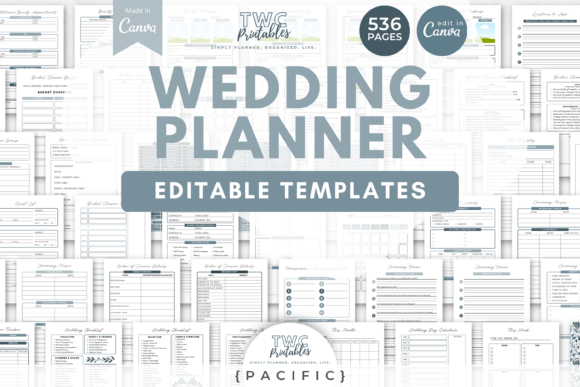
Creating a cohesive and beautiful wedding planner binder from scratch is a monumental task, but the right design assets can transform it from a chore into a creative joy. The Wedding Planner Canva Templates | PAC collection offers a comprehensive, professionally designed system that empowers couples, planners, and even designers to build a stunning visual organizer. This isn't just a set of printables; it's a masterclass in applied graphic design, providing a robust framework for organizing every detail of a dream wedding with visual harmony and modern aesthetics.
The Power of a Unified Design System
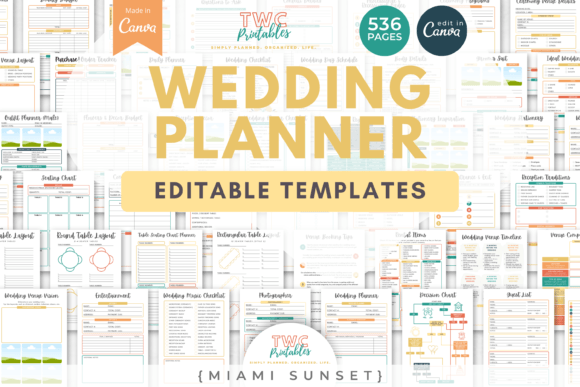
At its core, this collection exemplifies the principle of a brand identity applied to personal projects. The Pacific theme provides a consistent color palette and typography foundation across all 536 templates. This consistency is crucial for visual hierarchy and user experience. When every checklist, budget sheet, and timeline shares the same visual language, information becomes easier to find and more pleasant to engage with. For designers, this is a practical lesson in creating design systems that ensure coherence across multiple deliverables, a skill directly transferable to branding, editorial design, and marketing materials.
Practical Applications Beyond the Binder
While designed as a wedding planner, the templates' clean layouts and editable nature make them a versatile resource for various creative projects. Consider their utility for:
- Social Media Graphics: Adapt the invitation layouts, color schemes, and typography for cohesive wedding-related Instagram posts or Pinterest boards.
- Presentation Design: Use the timeline and checklist structures as a blueprint for creating clear, organized project presentations in a corporate or freelance setting.
- Digital Product Creation: The "done-for-you" timelines and checklists can be studied and repurposed as templates for other event planning digital products.
The inclusion of sections for vendor contacts, duty sheets, and inspiration boards demonstrates how information architecture and UX design principles are applied to manage complex data visually.
Maximizing Your Creative Workflow
To get the most from these Canva wedding planner templates, approach them with a designer's mindset. Here’s how to leverage them effectively:
- Establish Your Visual Hierarchy: Before editing, decide on your primary, secondary, and accent colors from the provided palette. Use this hierarchy to emphasize key information like dates, budgets, and VIP contacts.
- Customize with Purpose: Changing fonts and colors is simple, but do so with intention. Ensure your chosen typography pairing (e.g., a serif for headings, a sans-serif for body text) enhances readability. Your color changes should maintain sufficient contrast for both digital viewing and print.
- Think in Systems: Edit one master cover or divider first. Once perfected, use that as your style guide to update the remaining templates, ensuring consistency across the entire binder.
This process mirrors professional design workflow, where establishing core elements first streamlines the entire project and guarantees a professional presentation.
Elevating Communication Through Design
Ultimately, the value of a resource like the Wedding Planner Canva Templates | PAC lies in its ability to elevate communication. A well-designed planner does more than hold information; it reduces stress, inspires creativity, and becomes a cherished keepsake. The thoughtful composition, ample white space, and modern visual design of these templates ensure that functionality never sacrifices beauty. For anyone involved in visual communication—whether for a client's packaging design, a web design project, or personal digital marketing—studying and using such high-quality creative assets reinforces how superior design aesthetics directly improve clarity, engagement, and the overall user experience.